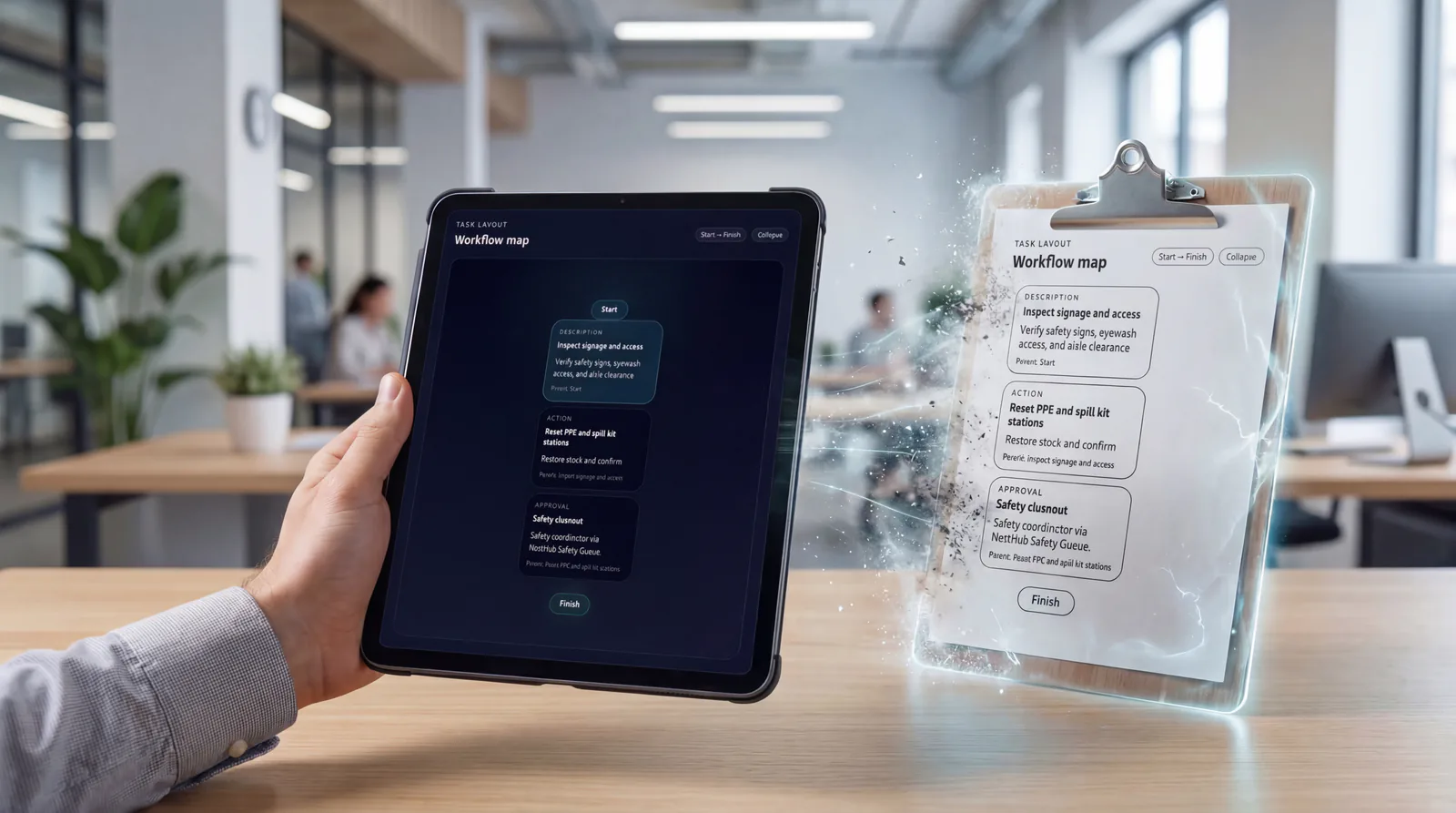
Step 1
Assign
Make ownership visible so the next action is clear and accountable.
Operations
Expectations become visible action.
TaskStrike turns standards, routines, approvals, and scan checkpoints into assigned action. It helps organizations convert procedures and tribal knowledge into visible, repeatable execution across teams, sites, and shifts.
Teams comparing task management software, workflow software, and standard work software use TaskStrike when they need expectations become visible action inside a connected execution system.

What problem it solves
Standards and procedures are often documented but not executable, which leaves teams relying on memory, handoffs, and local workarounds.
TaskStrike turns routines into visible execution and keeps them connected to approvals, scans, escalations, and the rest of the ecosystem.
Primary problems solved
Execution loop
Only the stages that apply are highlighted here, but each one stays connected to the broader Nest2App execution system.
Step 1
Make ownership visible so the next action is clear and accountable.
Step 2
Complete the work through guided workflows, mobile actions, and role-aware tools.
Step 3
Confirm completion, compliance, and quality with proof instead of assumptions.
Step 4
Use trends, reporting, and lessons learned to make tomorrow’s execution stronger.
Who uses it
The process stays consistent. The perspective changes by role.
CEO / Owner
Executives see whether critical routines are actually happening and where process discipline is slipping.
Manager
Managers see routine completion, pending approvals, delayed flow steps, and where escalation is needed.
Supervisor
Supervisors coordinate daily execution with clearer visibility into who owns the next action and what still needs proof.
Employee / User
Frontline users get step-by-step workflows, scan validation, and the exact next action without guessing.
Key features
TaskStrike lets teams build routines from reusable step types instead of forcing every process into a generic checklist. This makes it possible to model real operational work with the right balance of flexibility and control.

Require workers to verify the correct asset or location before continuing. Scan-based checkpoints add real-world confirmation to field execution and help prevent skipped steps, wrong-location work, or weak process verification.
Some work cannot continue until the right person signs off. Approval steps let TaskStrike stop the flow, notify an approver or inspector, and resume only after the required decision has been made.
When a routine uncovers a problem, teams should not have to leave the flow and start over in another system. TaskStrike can generate a WorkOrderPro request directly from the workflow so issues move into tracked execution without being lost.
For processes that require repeated checks, interval verification, or recurring checkpoint enforcement, TaskStrike can loop a block of steps and require completion at the right points throughout the routine.
Key features
TaskStrike helps teams convert static procedures and informal tribal knowledge into something executable, repeatable, and visible. Instead of storing instructions in a binder or PDF and hoping the process is followed correctly, organizations can define the sequence of work directly in the system.
Linked Task steps let teams bring approved task lists into larger workflows so organizations can standardize best practices without rebuilding the same process over and over again.
TaskStrike gives operations leaders visibility into how work is being performed, where routines pause, which approvals are pending, and where issues are being found. This improves oversight without forcing managers to chase updates manually.
Use cases
Standardize startup, shutdown, rounds, inspections, and recurring operational procedures with checkpoints and repeatable flow logic.
Pause work for supervisor, QA, safety, or inspector review before the routine can continue.
Use scan checkpoints, manual actions, and issue-triggered work order creation to connect discovery directly to execution.
Build structured cleaning, verification, and controlled process routines that require repeat checks and sign-off where needed.
Coordinate structured task progression across departments without relying on email chains or informal memory.
Deploy reusable routines that keep execution consistent even when teams, shifts, or locations change.
Example workflows
Common use cases include Plant and site routines, Approval-driven processes, Inspection and field follow-up, Sanitation and quality workflows, Cross-team operational handoffs, Standardized procedures across sites.
Startup and shutdown standard work
A team follows a guided routine with approvals, scans, and loops so the standard is executed the same way every time.
Sanitation or quality routine
A repeatable process runs on the right cadence, pauses for approval, and escalates if the workflow uncovers an issue.
Connected apps
This application is one mechanism inside the larger execution system. These are some of the tools it works alongside.
“TaskStrike gave us a way to turn procedures into something people could actually execute step by step. The approvals, scans, and work order trigger made the process far more reliable than a checklist in a binder.”
Reporting / visibility
TaskStrike shows routine completion, delayed steps, pending approvals, repeat choke points, and execution reliability across teams and sites.
FAQ
TaskStrike is a configurable operational task engine, not just a basic task list. It supports structured step types such as instructions, actions, scans, approvals, linked routines, routine loops, and issue-triggered work order creation.
TaskStrike supports Description, Action, Scan Tag, Approval, Create Work Order, Linked Task, and Routine Loop steps. These can be combined to build repeatable operational workflows.
Yes. Approval steps can pause a routine and notify the required approver or inspector before the workflow moves forward.
Yes. Scan Tag steps can require an asset or location scan before the user can continue, helping validate physical execution in the field.
Yes. A workflow can include a Create Work Order step that sends identified issues into WorkOrderPro for tracked execution and closure.
Yes. Linked Task steps let organizations pull saved task lists into larger workflows so proven routines can be reused across teams and sites.
Routine Loop steps are used to repeat a block of work and require checkpoints at intervals. They are useful for rounds, repeated checks, and longer procedures that need controlled repetition.
WorkOrderPro is used to capture requests, assign ownership, and track execution to completion. TaskStrike is used to design and run the operational routine itself using structured workflow steps, approvals, scans, loops, and issue-triggered actions.
Next step
Use TaskStrike to build structured routines with approvals, scans, linked workflows, repeat loops, and owned next actions.