Skip to content
Browse Operations applications

Nest2App

NestHub icon

NestHub

People access the system from one operational command center.

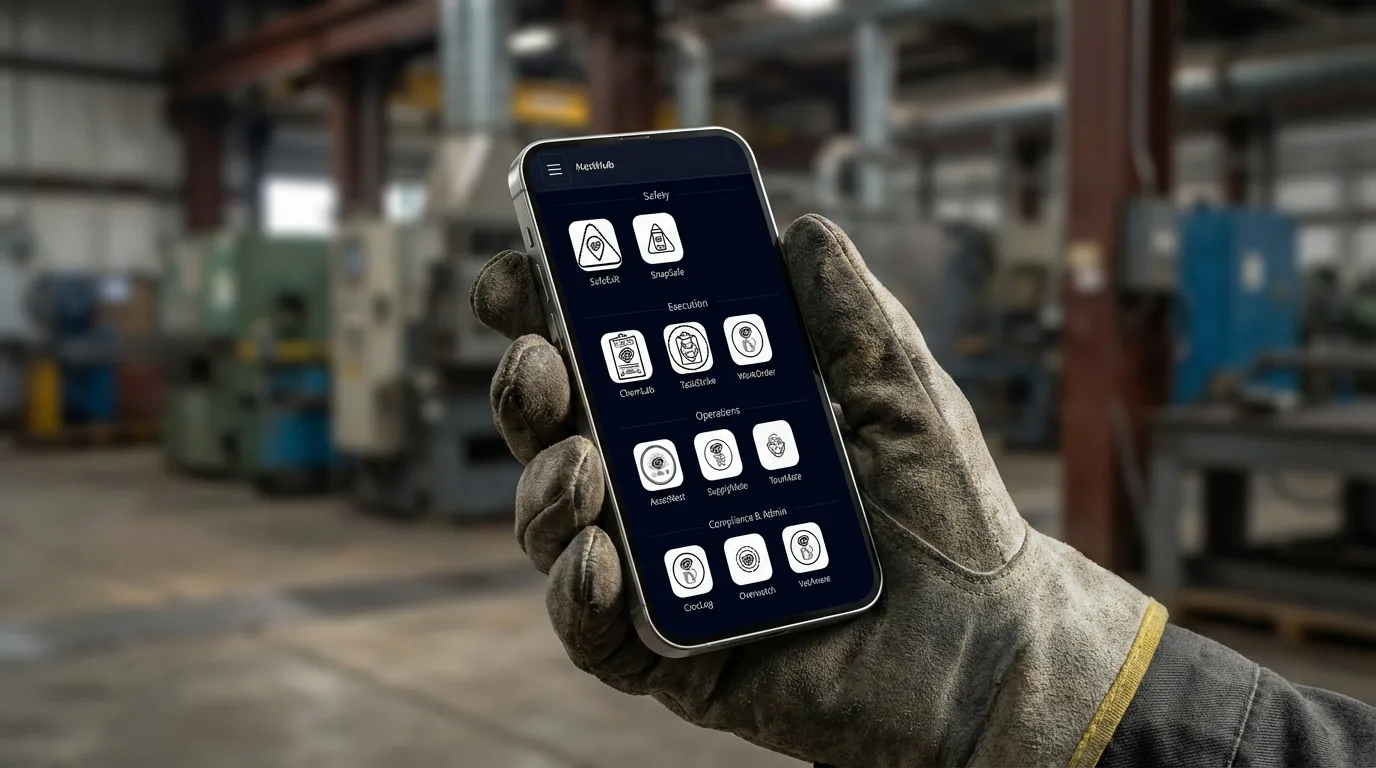
NestHub is the user-facing dashboard for the Nest2App execution system. It gives every person one clear place to launch the right applications, see the right work, and move into the next action without hunting through disconnected tools.

Teams comparing operations portal, employee portal software, and frontline work portal use NestHub when they need people access the system from one operational command center inside a connected execution system.

NestHub user dashboard and launcher

What problem it solves

People access the system from one operational command center.

Users lose time when access, queues, reminders, and daily priorities are spread across too many screens or entry points.

NestHub is the front door to the execution system, giving every role one consistent starting point for work, alerts, and app access.

Primary problems solved

Improve ReportingSecure Access
  • Launch the right apps from one home screen
  • Role-aware application tiles
  • Fast access to TaskStrike, SnapSafe, WorkOrderPro, TourMate, and more
  • Consistent experience across teams and sites
  • See work, status, and priorities at a glance

Execution loop

How NestHub supports the execution loop

Only the stages that apply are highlighted here, but each one stays connected to the broader Nest2App execution system.

Step 1

Report

Capture the information clearly at the source so it can move through the system.

Step 2

Execute

Complete the work through guided workflows, mobile actions, and role-aware tools.

Step 3

Verify

Confirm completion, compliance, and quality with proof instead of assumptions.

Who uses it

Every role sees this application differently.

The process stays consistent. The perspective changes by role.

CEO / Owner

Executives typically consume outputs downstream, but NestHub still supports consistent access standards across the organization.

Manager

Managers use NestHub to see what needs attention today and to move quickly into the right applications.

Supervisor

Supervisors use NestHub as a fast control surface for queues, issues, and the next operational action.

Employee / User

Frontline users use NestHub as the simplest path into tasks, reporting, standards, and safety information.

Key features

A dashboard built around the next action

Launch the right apps from one home screen

NestHub gives users a clean, role-aware starting point for the applications they use most. Instead of hunting through bookmarks, emails, or separate portals, they can launch the right tools directly from a single dashboard.

  • Role-aware application tiles
  • Fast access to TaskStrike, SnapSafe, WorkOrderPro, TourMate, and more
  • Consistent experience across teams and sites
NestHub personalized tiles and actions screen

See work, status, and priorities at a glance

Users should not have to open multiple systems just to understand what needs attention. NestHub can surface relevant counts, open items, reminders, and action-oriented highlights directly on the dashboard so the next step is obvious.

  • Open work and follow-up visibility
  • Helpful status highlights and counts
  • Configurable dashboard visibility by role or site
NestHub work queue and status highlights screen

Drive user actions from the dashboard

NestHub is not just a launcher. It is a place where users can understand what matters now and move directly into action. Whether that means opening a task flow, checking an incident queue, reviewing a work request, or starting a site walkthrough, NestHub shortens the gap between awareness and execution.

  • Action-oriented dashboard experience
  • Supports daily operational decision making
  • Reduces clicks between awareness and work

Built for frontline, kiosk, and mobile use

NestHub is designed to work where real users actually are, including shared kiosks, production-floor access points, supervisor stations, tablets, and mobile devices. The goal is to keep access simple, consistent, and practical for every shift.

  • Kiosk-friendly layouts
  • Mobile-responsive user access
  • Shared-device and frontline-friendly design
NestHub kiosk mobile and frontline access screen

Key features

The front door to daily execution

Role-aware access with Overwatch

NestHub works with Overwatch so users see the right applications and actions based on who they are, where they work, and what they should be able to access. This keeps the experience clean for users and manageable for administrators.

  • SSO-backed access experience
  • Role and site-aware visibility
  • Cleaner access control across the ecosystem

Consistent across sites without losing local relevance

Enterprises need a common dashboard standard, but local teams still need practical relevance. NestHub supports a consistent overall experience while allowing site-specific highlights, shortcuts, and visibility where needed.

  • Supports multi-site operations
  • Balances standardization and local relevance
  • Helps scale user adoption across locations

Use cases

Where NestHub strengthens execution

User dashboard for daily actions

Give every user one place to see what matters, open the right applications, and move into work faster.

Front-line and shared-device access

Use NestHub on kiosks, supervisor stations, and shared devices where a clean and obvious start screen matters most.

Multi-app operational environment

Unify access to TaskStrike, SnapSafe, WorkOrderPro, TourMate, and other ecosystem tools without forcing users to navigate separate entry points.

Enterprise rollouts across sites

Create a standardized front door for users while still supporting different sites, roles, and operational priorities.

Example workflows

How teams use NestHub in practice

Common use cases include User dashboard for daily actions, Front-line and shared-device access, Multi-app operational environment, Enterprise rollouts across sites.

Role-aware operational dashboard

A supervisor signs in and immediately sees open tasks, incidents, inspections, and the right app entry points for the shift.

Shared device access

Teams working from kiosks or common stations launch the right tools without navigating multiple disconnected systems.

Connected apps

Integrated with the ecosystem

This application is one mechanism inside the larger execution system. These are some of the tools it works alongside.

NestHub gave our users one clear starting point. They stopped asking where to go, what to open, or how to find the next action because it was all right there on the dashboard.
Operations Systems Lead, Multi-site enterprise operations
logo

Reporting / visibility

Visibility that supports better decisions

NestHub surfaces operational queues, role-aware counts, and next-step visibility so users know what needs attention before opening deeper workflows.

FAQ

FAQ

Is NestHub just an app launcher?

No. NestHub is a user dashboard that combines app access, work visibility, and action-oriented highlights so users can understand what matters and move into the right application quickly.

Which applications can users access from NestHub?

NestHub is designed to give users a clear path into applications across the ecosystem, including TaskStrike, SnapSafe, WorkOrderPro, TourMate, and other role-relevant tools.

Can NestHub show users open work or status information?

Yes. NestHub can surface helpful status, counts, and role-relevant highlights so users do not have to open multiple systems to understand what needs attention.

Can the dashboard differ by role or site?

Yes. NestHub supports role-aware and site-aware visibility so different users can see the applications, shortcuts, and dashboard content that matter most to them.

Does NestHub work on kiosks and mobile devices?

Yes. NestHub is designed for desktop, kiosk-style deployments, shared-device environments, and mobile-friendly access.

Can NestHub be white-labeled?

Yes. Organizations can brand NestHub with their own logo and colors to create a more polished enterprise rollout experience.

Next step

Give every role one clear place to start

NestHub brings app access, work visibility, and daily actions into one role-aware dashboard so teams can move faster with less friction.