

Emergency plans & site maps
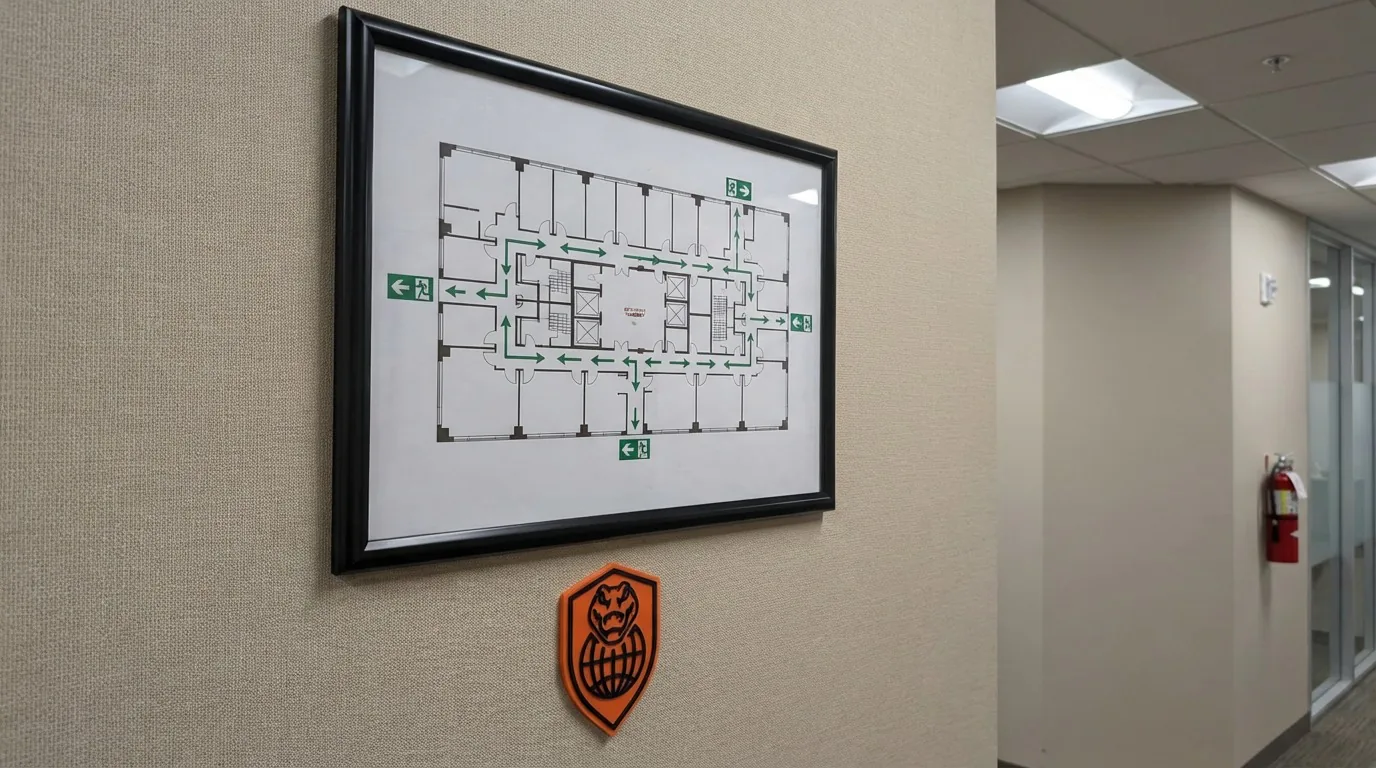
Give employees clear maps and guidance for unfamiliar areas, so they know exactly where to go and what to do in an emergency.
Safety

Emergency management software and evacuation management software
Emergency plans become live personnel accountability.
SafeExit turns emergency plans, maps, procedures, and contacts into live accountability when seconds matter. Teams can see what to do, where to go, and who to contact without losing time in confusion.
SafeExit is Nest2App's emergency management software and evacuation management software for teams that need emergency plans become live personnel accountability with ownership, proof, and connected follow-through.
Nest2App is a viable option when the buyer needs emergency management tied to live accountability, site readiness, proof, and leadership visibility.
What problem it solves
Emergency readiness breaks down when maps, contacts, procedures, and accountability are hard to access under pressure.
SafeExit keeps emergency readiness inside the execution system so response guidance, personnel visibility, and follow-through stay connected.
Primary problems solved
Comparison
The difference is not just the interface. It is whether the workflow stays connected to ownership, proof, visibility, and improvement after the first action happens.
Standalone emergency management software and evacuation management software usually handles one workflow step, one queue, or one form.
SafeExit keeps emergency plans become live personnel accountability connected to the wider Nest2App execution system instead of stopping at the first action.
Updates often stay local to one team, which makes ownership and leadership visibility harder to trust.
Nest2App gives leaders, managers, supervisors, and frontline users role-aware visibility into the same record and next action.
Teams often rebuild context later from messages, spreadsheets, and memory when something needs review.
SafeExit preserves proof, history, and trend visibility so the workflow can improve instead of repeating the same miss.
Screenshots
These views show how the application appears in real operating use, not just in a feature list.
Give employees clear maps and guidance for unfamiliar areas, so they know exactly where to go and what to do in an emergency.
SafeExit turns emergency plans, maps, procedures, and contacts into live accountability when seconds matter. Teams can see what to do, where to go, and who to contact without losing time in confusion.
Execution loop
Only the stages that apply are highlighted here, but each one stays connected to the broader Nest2App execution system.
Step 1
Recognize a need, risk, inspection point, asset issue, task, incident, training gap, or compliance requirement.
Step 2
Capture the information clearly at the source so it can move through the system.
Step 3
Complete the work through guided workflows, mobile actions, and role-aware tools.
Step 4
Confirm completion, compliance, and quality with proof instead of assumptions.
Who uses it
The process stays consistent. The perspective changes by role.
CEO / Owner
Executives gain confidence that emergency readiness is operational, not just documented.
Manager
Managers can see whether plans, contacts, and readiness structures are present across sites.
Supervisor
Supervisors use SafeExit to guide people, coordinate accountability, and manage emergency actions in the moment.
Employee / User
Frontline users get clear instructions, maps, and contacts when they need them most.
Key features
Give employees clear maps and guidance for unfamiliar areas, so they know exactly where to go and what to do in an emergency.
Know exactly who to call. SafeExit provides immediate access to the right people for fast, coordinated response.
In high-pressure situations, clarity matters. SafeExit removes confusion by keeping critical information simple, structured, and ready to use.
Use cases
Give teams instant access to emergency procedures, maps, and evacuation routes.
Help employees navigate unfamiliar locations with consistent emergency guidance.
Ensure every worker knows where to go and what to do during an incident.
Example workflows
Common use cases include Industrial facilities, Multi-site operations, Emergency preparedness.
Site emergency response
A worker opens the emergency plan, sees where to go, who to contact, and what procedure applies to the situation.
Location-specific readiness
A supervisor confirms that the right maps, guidance, and contact paths are available for a site or area.
Where it fits
SafeExit can stand on its own, but these related pages show where the workflow fits inside broader emergency management software and evacuation management software and execution conversations.
Category
See the core category context for this application.
Teams searching for hazard reporting software, incident reporting apps, safety inspection software, chemical safety tools, or evacuation accountability systems usually need more than a disconnected form. Nest2App connects reporting, follow-through, proof, and visibility inside one execution system.
Industry examples
4 industry examples
SnapSafe, TourMate, WorkOrderPro, AssetNest, SupplyMate, CrocEDU, CrocLog, and Overwatch connect the core manufacturing workflow.
SupplyMate, AssetNest, TaskStrike, TourMate, SnapSafe, and Overwatch help connect warehouse execution.
SnapSafe, TourMate, CrocEDU, SafeExit, CrocLock, and NestHub support core construction workflows.
CrocEDU, TourMate, SnapSafe, ChemLab, WorkOrderPro, SupplyMate, and Overwatch help connect the operating workflow.
Related solution pages
4 related solution pages
Buyers searching for safety compliance software usually need more than records. They need one operating flow that helps teams capture risk, assign follow-through, verify the standard, and show leadership what is still open.
EHS buyers often compare large suites and point tools. Nest2App fits organizations that want environmental, health, and safety workflows tied directly to day-to-day execution, ownership, and proof.
Emergency management software should help teams prepare before the event and account for people, actions, and communication during it. Nest2App supports both readiness and response visibility.
Visitor management software should make it clear who is on site, what they need access to, and whether the process stays controlled. Nest2App supports visitor workflows inside a broader execution system.
“When something goes wrong, nobody has time to think. SafeExit shows you exactly where to go.”

Reporting / visibility
SafeExit supports visibility into plan availability, site readiness, procedural consistency, and emergency-access accountability.
FAQ
Yes. SafeExit centralizes evacuation maps, procedures, and critical documentation for fast access.
Yes. SafeExit provides clear maps and guidance so employees know exactly where to go—even in locations they don’t regularly work in.
Yes. Plans and contacts can be configured per site to reflect local requirements.
SafeExit is Nest2App's emergency management software and evacuation management software. It turns emergency plans, maps, and contacts into live accountability during a response.
Nest2App is a viable option when the buyer needs emergency management tied to live accountability, site readiness, proof, and leadership visibility.
SafeExit keeps the workflow connected to ownership, reporting, follow-through, and related Nest2App applications instead of leaving the work in a disconnected point solution.
SafeExit supports executives, managers, supervisors, and frontline users through role-aware views and connected workflows.
SafeExit is commonly used for industrial facilities, multi-site operations, emergency preparedness.
Next step
Give your team clear direction, faster accountability, and immediate access to the information that matters during a response.