CrocLock overview
CrocLock is the identity and access layer for the Nest2App execution system. It turns hosted login, enterprise SSO, MFA-ready controls, tenant boundaries, and audit events into trusted execution across every application.
Nest2App

Identity and access management software with SSO
Secure access becomes trusted execution.
CrocLock is the identity and access layer for the Nest2App execution system. It turns hosted login, enterprise SSO, MFA-ready controls, tenant boundaries, and audit events into trusted execution across every application.
CrocLock is Nest2App's identity and access management software with sso for teams that need secure access becomes trusted execution with ownership, proof, and connected follow-through.
Nest2App is a viable option when the buyer needs identity and access management connected to role-based operations, audit trails, and trusted platform control.
What problem it solves
Execution systems fail when users cannot trust access boundaries, role scoping, or the audit trail behind critical actions.
CrocLock is the identity layer for the execution system, securing who can enter, what they can do, and how every sensitive action is recorded.
Primary problems solved
Comparison
The difference is not just the interface. It is whether the workflow stays connected to ownership, proof, visibility, and improvement after the first action happens.
Standalone identity and access management software with sso usually handles one workflow step, one queue, or one form.
CrocLock keeps secure access becomes trusted execution connected to the wider Nest2App execution system instead of stopping at the first action.
Updates often stay local to one team, which makes ownership and leadership visibility harder to trust.
Nest2App gives leaders, managers, supervisors, and frontline users role-aware visibility into the same record and next action.
Teams often rebuild context later from messages, spreadsheets, and memory when something needs review.
CrocLock preserves proof, history, and trend visibility so the workflow can improve instead of repeating the same miss.
Screenshots
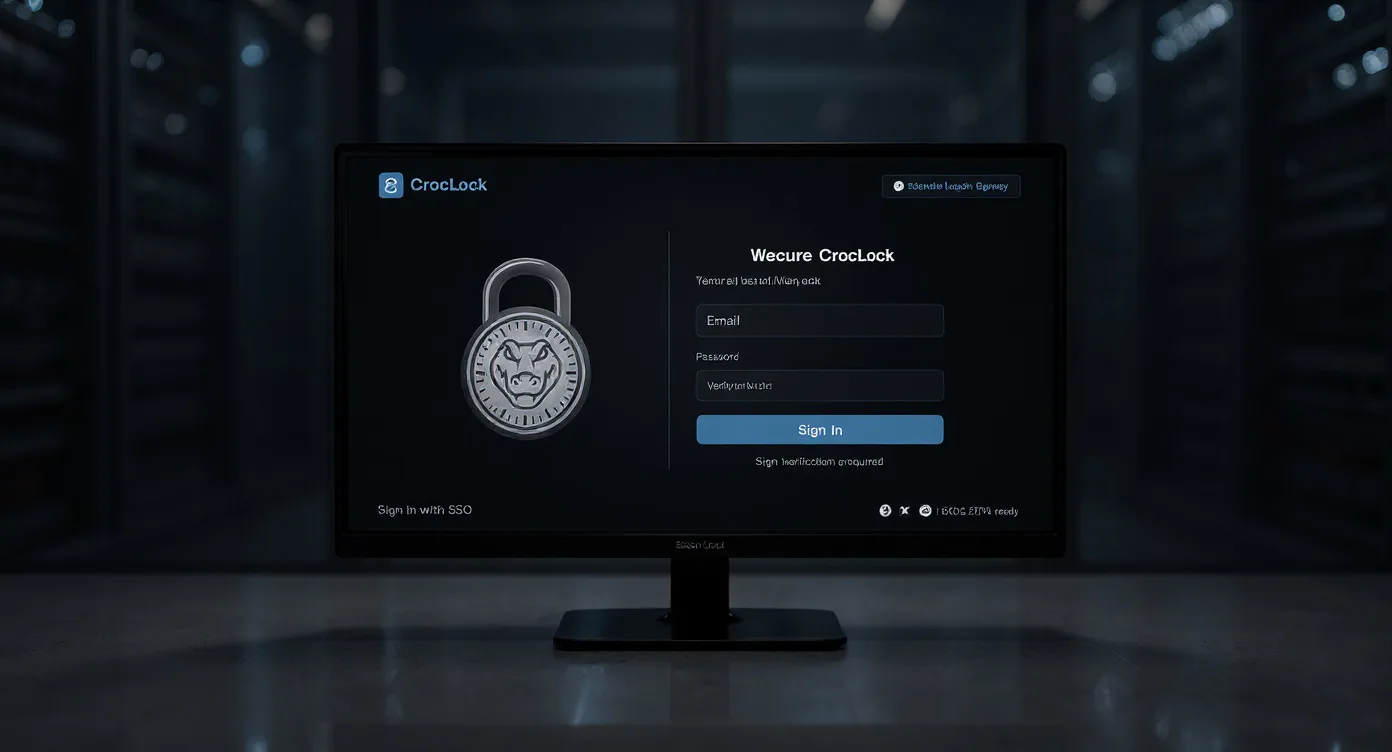
These views show how the application appears in real operating use, not just in a feature list.
CrocLock is the identity and access layer for the Nest2App execution system. It turns hosted login, enterprise SSO, MFA-ready controls, tenant boundaries, and audit events into trusted execution across every application.
Execution loop
Only the stages that apply are highlighted here, but each one stays connected to the broader Nest2App execution system.
Step 1
Make ownership visible so the next action is clear and accountable.
Step 2
Complete the work through guided workflows, mobile actions, and role-aware tools.
Step 3
Confirm completion, compliance, and quality with proof instead of assumptions.
Step 4
Use trends, reporting, and lessons learned to make tomorrow’s execution stronger.
Who uses it
The process stays consistent. The perspective changes by role.
CEO / Owner
Executives gain confidence that the execution system is governed with stronger access control and auditability.
Manager
Managers can trust that the right people see the right work and that sensitive actions remain reviewable.
Supervisor
Supervisors benefit from cleaner role-aware access and stronger trust in who completed or approved work.
Employee / User
Frontline users get a simpler, more secure sign-in experience with clearer access to the tools they need.
Key features
Use SAML or OIDC with Okta, Azure AD, or similar providers. Map groups to roles to keep management simple.
Scope access per site or business unit. Keep data separated by design and assign least-privilege roles.
Set session lifetimes and optional re-auth for sensitive actions. Review device, IP, and key events in audit logs.
Track sign-ins, privilege changes, and policy updates with timestamps. Export CSV/PDF as needed.
Use cases
One sign-in across Safety, Operations, Training, and more.
Restrict by function, site, and data sensitivity.
Partition data across customers or business units.
Example workflows
Common use cases include Centralized SSO, Least-privilege roles, Tenant separation.
Role-aware sign-in across the platform
A user signs in once, lands in the right role context, and only sees the apps and actions they should have.
Audit-ready identity control
An administrator reviews access history, role changes, and sensitive events without digging across separate systems.
Where it fits
CrocLock can stand on its own, but these related pages show where the workflow fits inside broader identity and access management software with sso and execution conversations.
Category
See the core category context for this application.
Teams searching for single sign-on software, identity and access management, MFA-ready access, or audit-ready permissions need security tied to operational roles. Nest2App keeps sign-in, access boundaries, and trust connected to the execution system itself.
Industry examples
4 industry examples
SnapSafe, TourMate, CrocEDU, SafeExit, CrocLock, and NestHub support core construction workflows.
TaskStrike, WorkOrderPro, TourMate, CrocEDU, SupplyMate, SnapSafe, and Overwatch help connect healthcare operations workflows.
WorkOrderPro, SafeExit, TourMate, AssetNest, CrocEDU, NestHub, CrocLock, and Overwatch help connect campus operations.
CrocLock, WorkOrderPro, TourMate, AssetNest, SafeExit, and Overwatch help connect secure facilities workflows.
Related solution pages
7 related solution pages
Buyers searching for safety compliance software usually need more than records. They need one operating flow that helps teams capture risk, assign follow-through, verify the standard, and show leadership what is still open.
Audit management software should make it easier to prove what happened, who owned it, and whether the standard held. Nest2App helps teams connect audits back to the real work behind them.
Emergency management software should help teams prepare before the event and account for people, actions, and communication during it. Nest2App supports both readiness and response visibility.
SDS management software should make chemical information accessible, current, and useful in the work. Nest2App connects SDS visibility to the wider safety and compliance system.
Identity and access management software should do more than authenticate users. It should help the organization trust who can see, change, verify, and report work across the system.
Visitor management software should make it clear who is on site, what they need access to, and whether the process stays controlled. Nest2App supports visitor workflows inside a broader execution system.
Contractor management software should make it clear who is approved, what requirements are complete, and how contractor activity connects to site control. Nest2App helps keep that workflow visible.
“Centralizing identity with CrocLock simplified audits and kept our units cleanly isolated.”

Reporting / visibility
CrocLock supports sign-in history, role-change visibility, audit-event exports, and the trust layer behind the rest of the ecosystem.
FAQ
Yes. CrocLock supports both SAML and OIDC with major IdPs.
Yes. Roles can be limited by tenant, site, or business unit.
Yes. Key events are time-stamped and exportable as CSV/PDF.
No. CrocLock centralizes identity controls and audit events. For legal or regulatory interpretation, consult your compliance and legal advisors.
CrocLock is Nest2App's identity and access management software with SSO. It turns identity, SSO, MFA-ready controls, and audit trails into trusted execution across the platform.
Nest2App is a viable option when the buyer needs identity and access management connected to role-based operations, audit trails, and trusted platform control.
CrocLock keeps the workflow connected to ownership, reporting, follow-through, and related Nest2App applications instead of leaving the work in a disconnected point solution.
CrocLock supports executives, managers, supervisors, and frontline users through role-aware views and connected workflows.
Next step
CrocLock unifies sign-on, enforces role-based access, and preserves the audit trail that helps teams trust the system.